Connect Uplisting to TripSkip
List your Uplisting homes on TripSkip in about five minutes. Travelers find your homes here and book on your own Uplisting booking page.
Before you start
- An Uplisting account with at least one home.
- The Uplisting booking page turned on for each home you want to list.
- A TripSkip host account with an active plan.
Step by step
Create your TripSkip host account
Sign up at tripskipit.com/signup and choose a plan. Founding hosts pay $49 a year for unlimited listings.
Open Add Integration
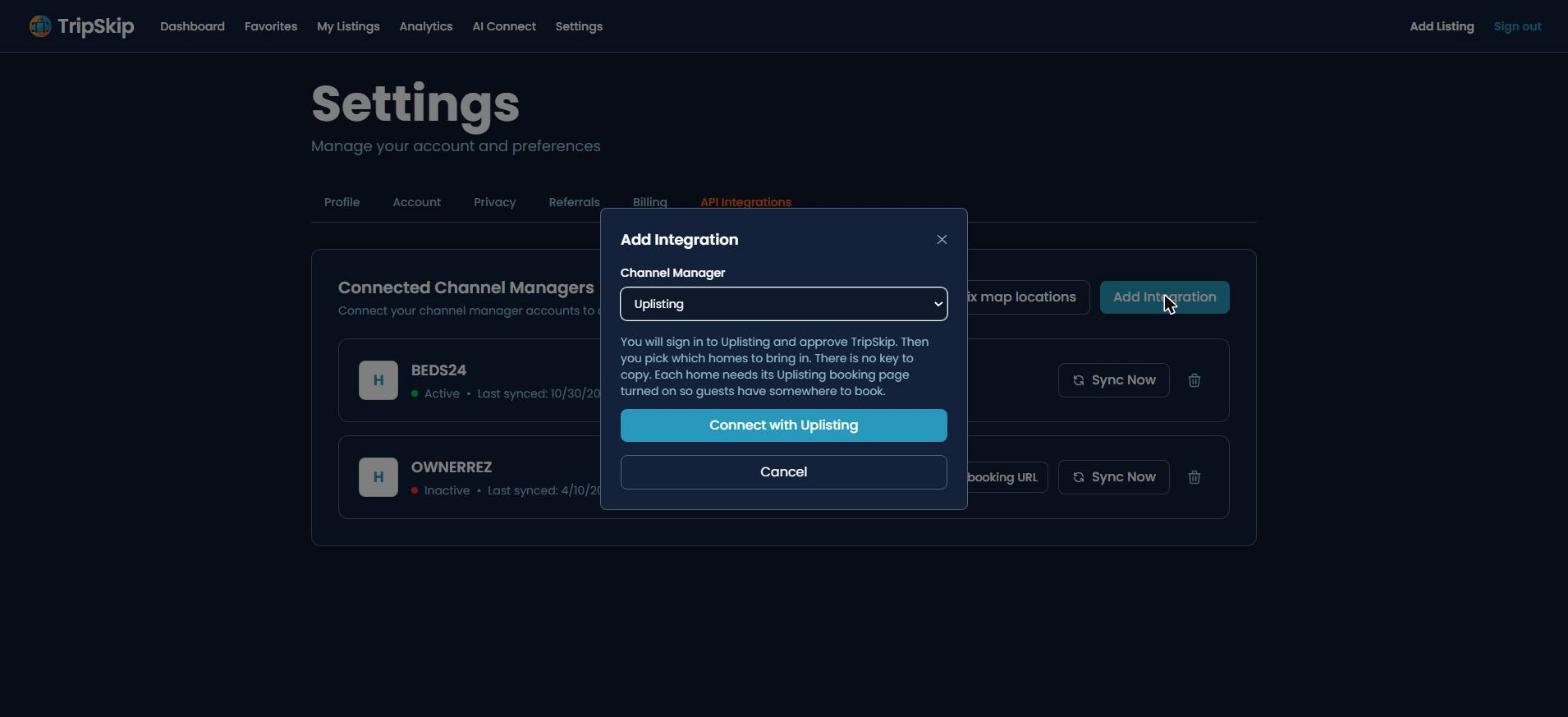
In TripSkip go to Settings, then API Integrations, then Add Integration.
Choose Uplisting and click Connect with Uplisting
There is no key or ID to copy. TripSkip sends you to Uplisting to sign in.
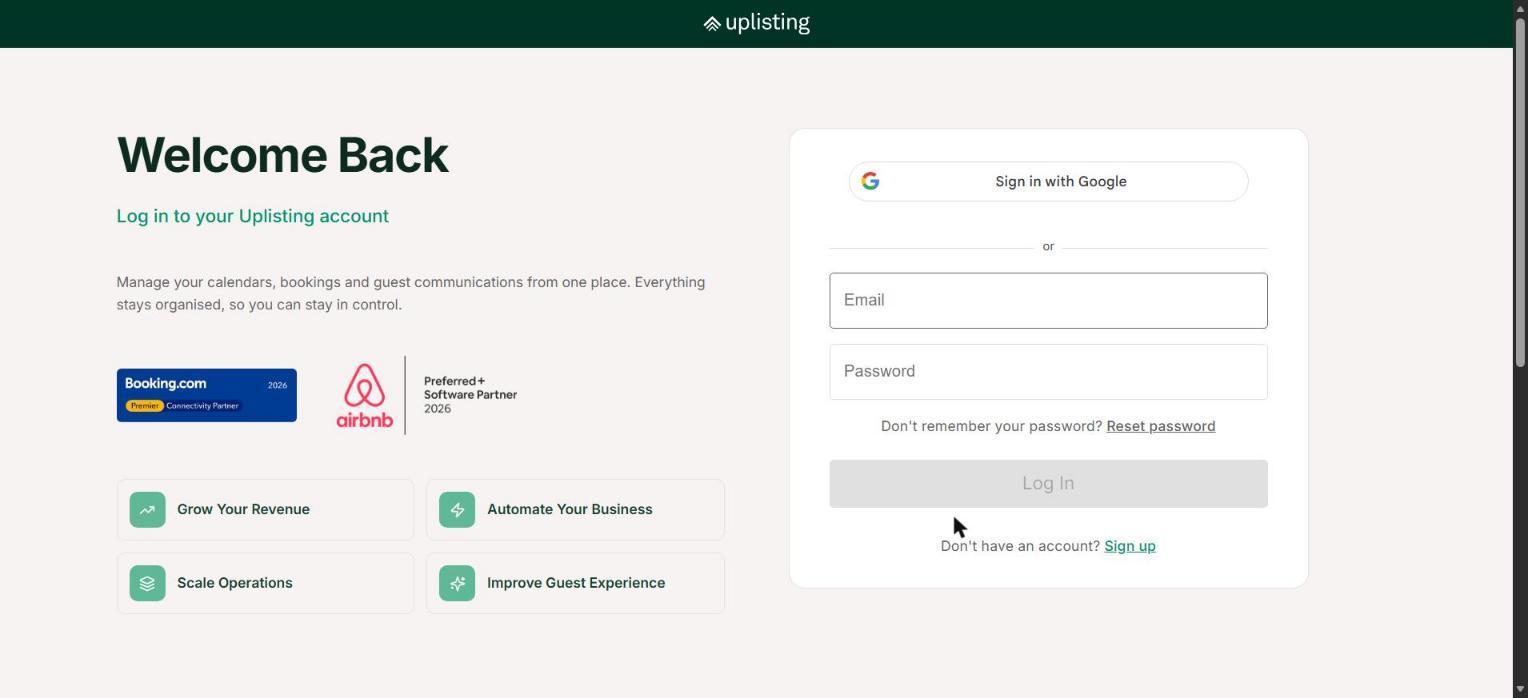
Log in to Uplisting and approve TripSkip
This page belongs to Uplisting. Log in with your usual Uplisting account and approve read-only access. TripSkip can see your properties and calendar. It cannot create, change or cancel bookings.
Pick your homes and click Import
You come back to TripSkip with a list of your Uplisting homes. Check the ones you want to list and click Import. They go live on TripSkip right away with photos, description, location, bedrooms, bathrooms, guest count, nightly rate and minimum stay.
Questions
Where do guests book?
On your own Uplisting booking page. Every Book Direct button on TripSkip opens that home's Uplisting booking page, so reservations, payments and guest messages stay in Uplisting. TripSkip adds no guest fees and takes no commission.
Why is one of my homes greyed out?
That home does not have its Uplisting booking page turned on, so there is nowhere to send guests. Turn on the booking page for that home in Uplisting, then open the import list in TripSkip again.
How do changes in Uplisting reach TripSkip?
TripSkip refreshes your listed homes once a week. To update right away, go to Settings, then API Integrations, and click Sync Now on your Uplisting connection. A refresh updates the homes you already listed and never adds new ones on its own.
How do I add more homes later?
Go to My Listings and click Import. Your Uplisting homes that are not on TripSkip yet show up there.
What does Reconnect mean?
TripSkip lost access to your Uplisting account, usually because the connection was removed in Uplisting. Click Reconnect and approve again. If the connection fails two weekly refreshes in a row, your Uplisting homes are hidden on TripSkip until you reconnect, and they come back when you do.
Can I disconnect?
Yes. Go to Settings, then API Integrations, and click the trash icon on your Uplisting connection.
Still stuck? Email support@tripskipit.com or use the contact page.